"AI-Enabled Creative Workflow"
Project Type AI-Assisted Design & Creative Production
Client Selected Client Work
Tools ChatGPT / Adobe Photoshop / Adobe Illustrator / Figma
This case study explores how I integrate AI into professional creative workflows across campaign design, content analysis, storyboarding, and custom asset development.
Rather than treating AI as a replacement for design craft, I use it to accelerate exploration and production while retaining control over the creative decisions, brand standards, and quality that determine what ships.
Project Overview
Across these projects, I independently led visual direction, typography, layout, hierarchy, composition, brand interpretation, asset refinement, and final production.
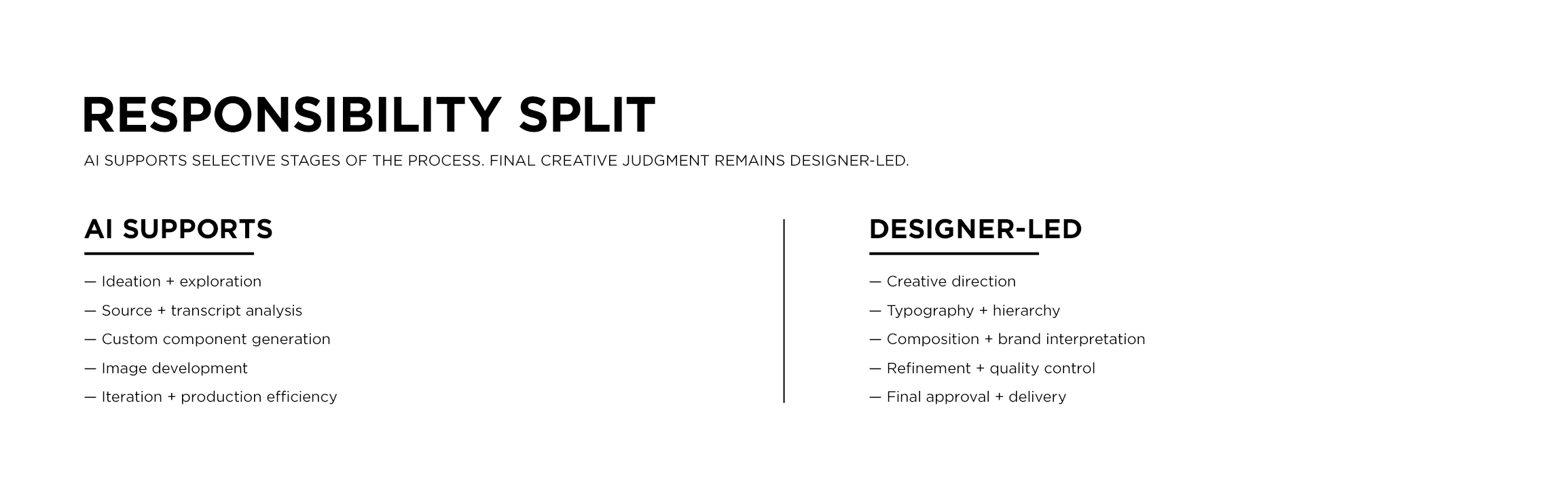
AI supported targeted stages of the process; from ideation and custom asset generation to source analysis and narrative exploration, all while final creative judgment and quality control remained designer-led.
My Role
A Designer-Led AI Workflow
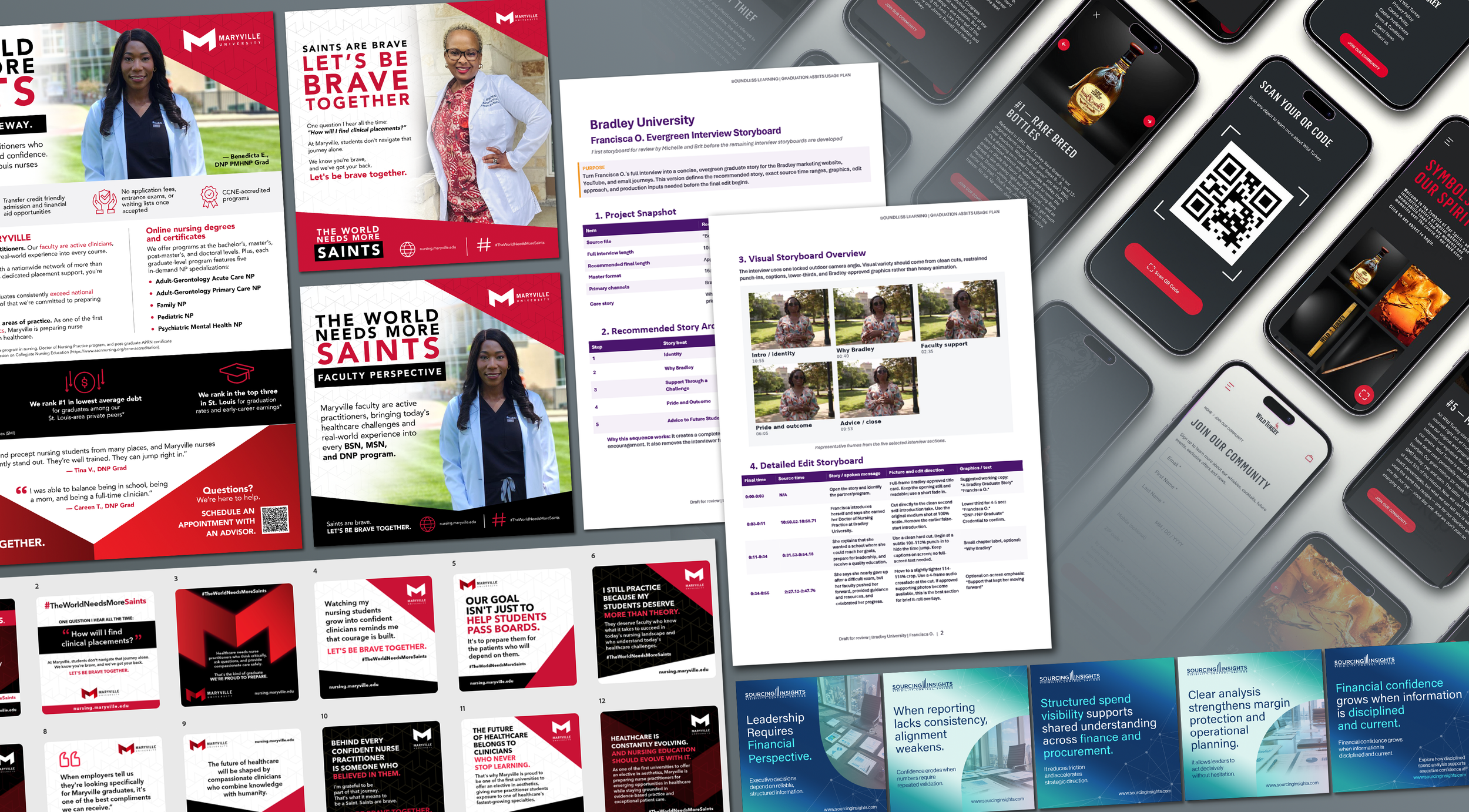
I don't treat AI as a prompt-to-output solution. I use it inside a broader creative process that moves from exploration and analysis through curation, refinement, and final production.
“The value is not simply generating more. It's getting to stronger possibilities faster while preserving the judgment required to decide what is actually worth developing.”
Maryville University
Tools used // ChatGPT / Generative AI / Adobe Photoshop / Adobe Illustrator
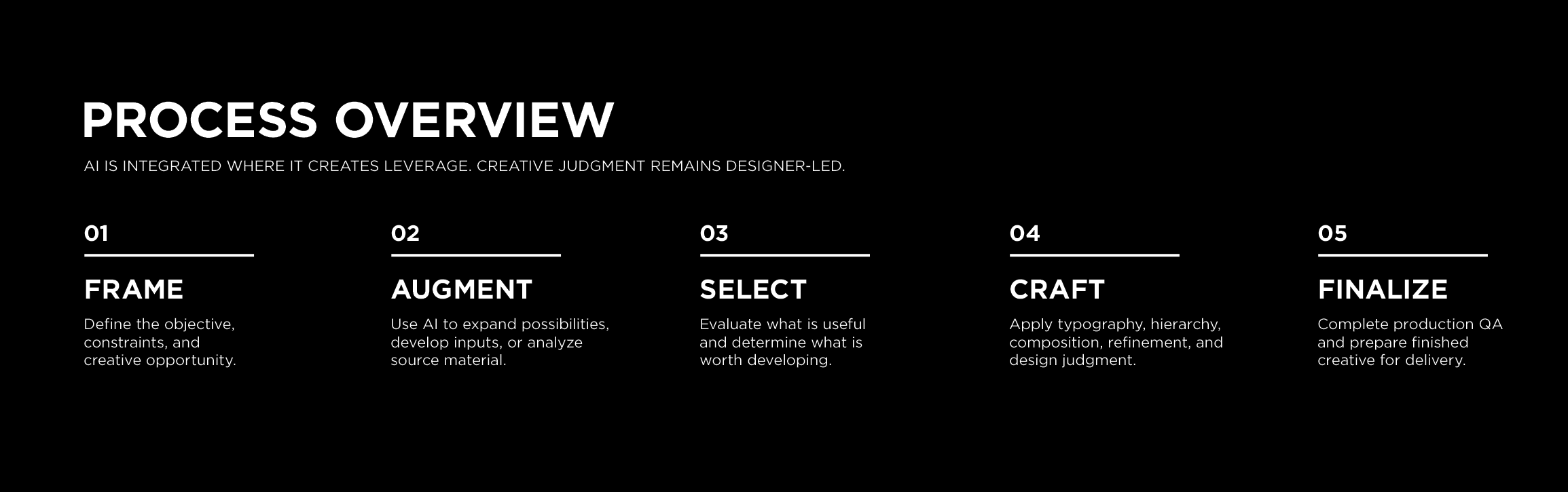
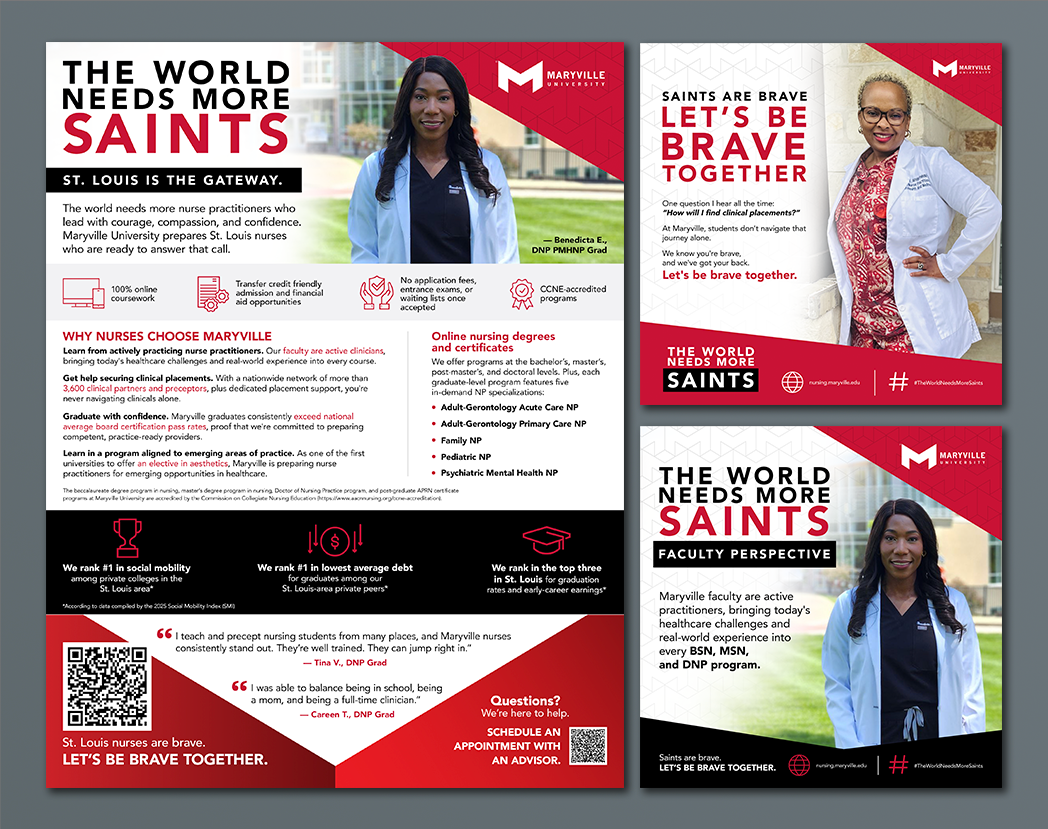
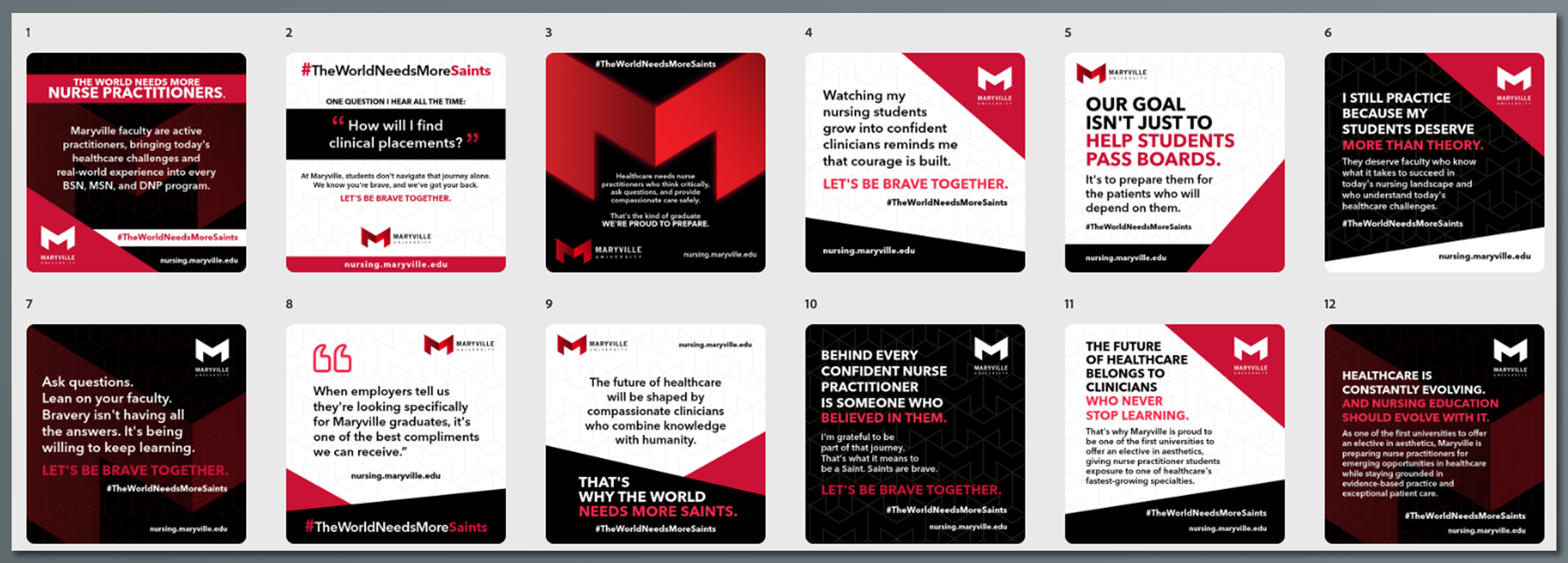
For Maryville University's nursing marketing, I developed a flexible visual system that could support multiple social messages and internal communications while maintaining a cohesive campaign language.
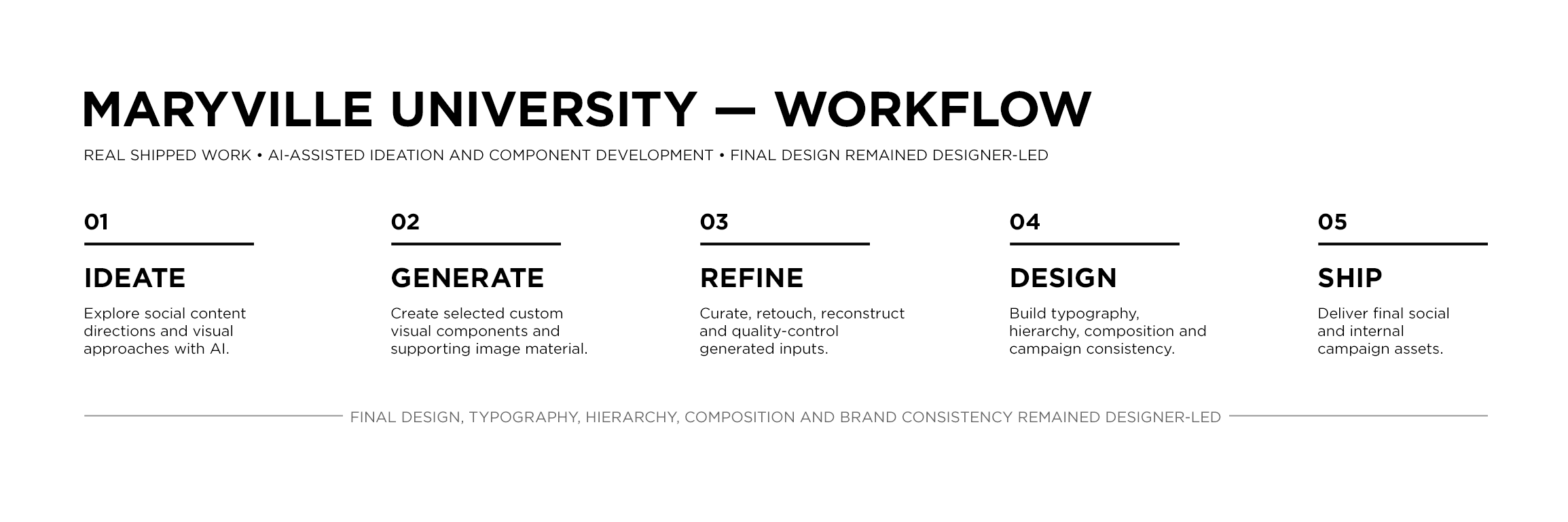
AI was used during early exploration and to develop selected custom imagery and graphic components. Those inputs were then curated, retouched, reconstructed, and refined in Adobe Photoshop and Illustrator before being incorporated into the final compositions.
Scalable Campaign Design
From Generated Inputs to Finished Design
Generated material was treated as source material, not finished creative. Each component still had to function within Maryville's visual language, support the intended message, and meet the standards of the final composition. I remained responsible for typography, hierarchy, layout, brand consistency, image treatment, and production quality across the delivered campaign assets.
Bradley University
Tools used // ChatGPT / Generative AI / Adobe Photoshop / Adobe Illustrator
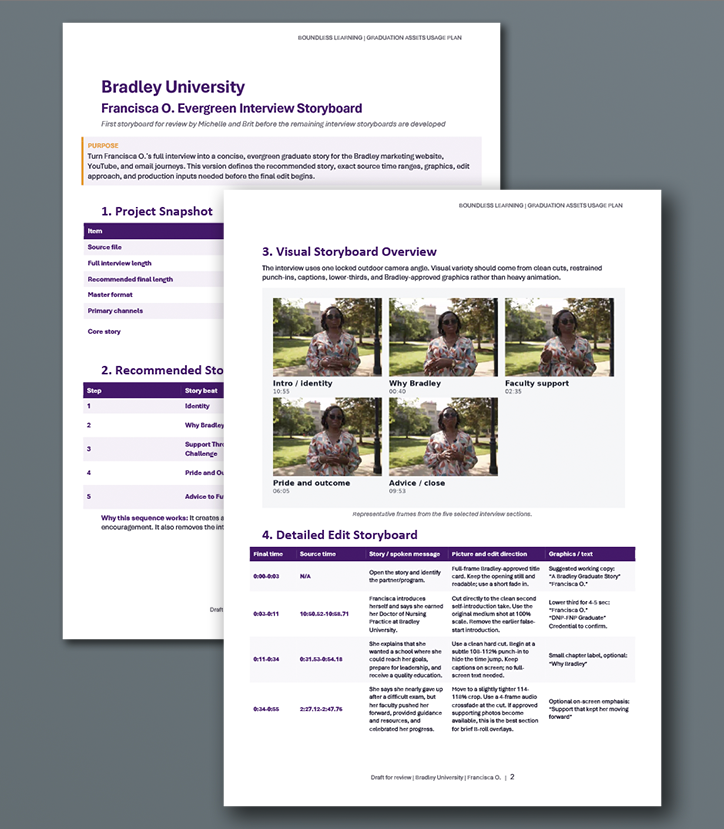
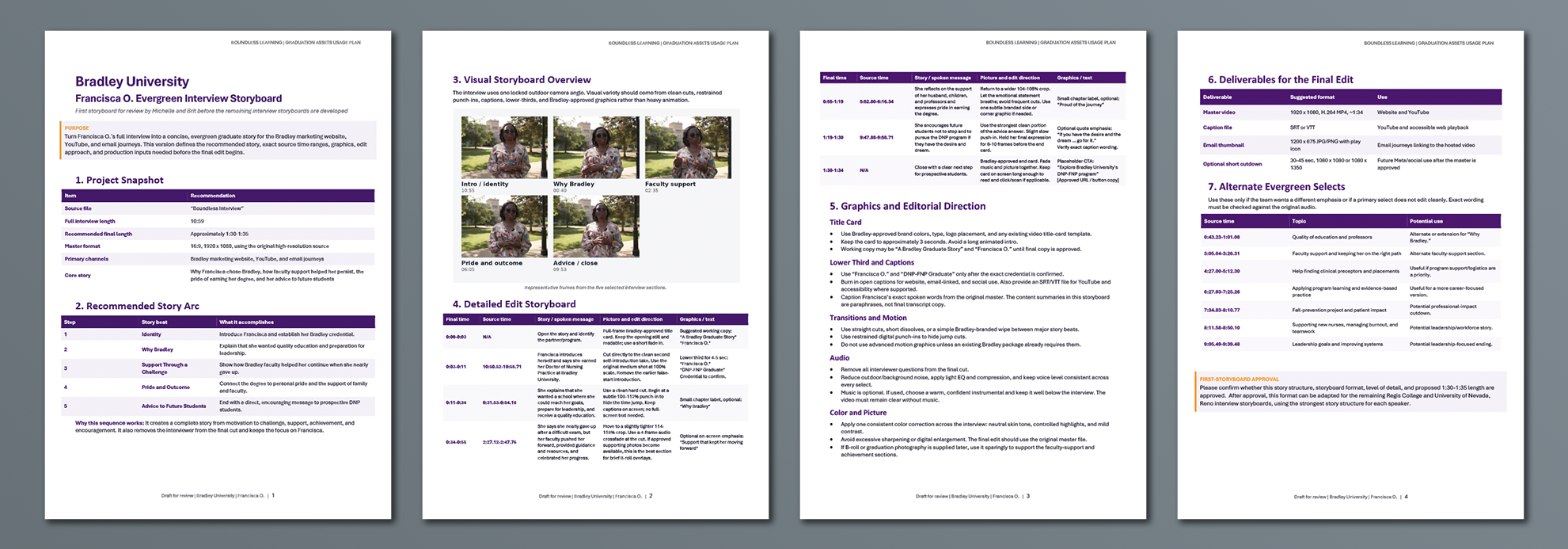
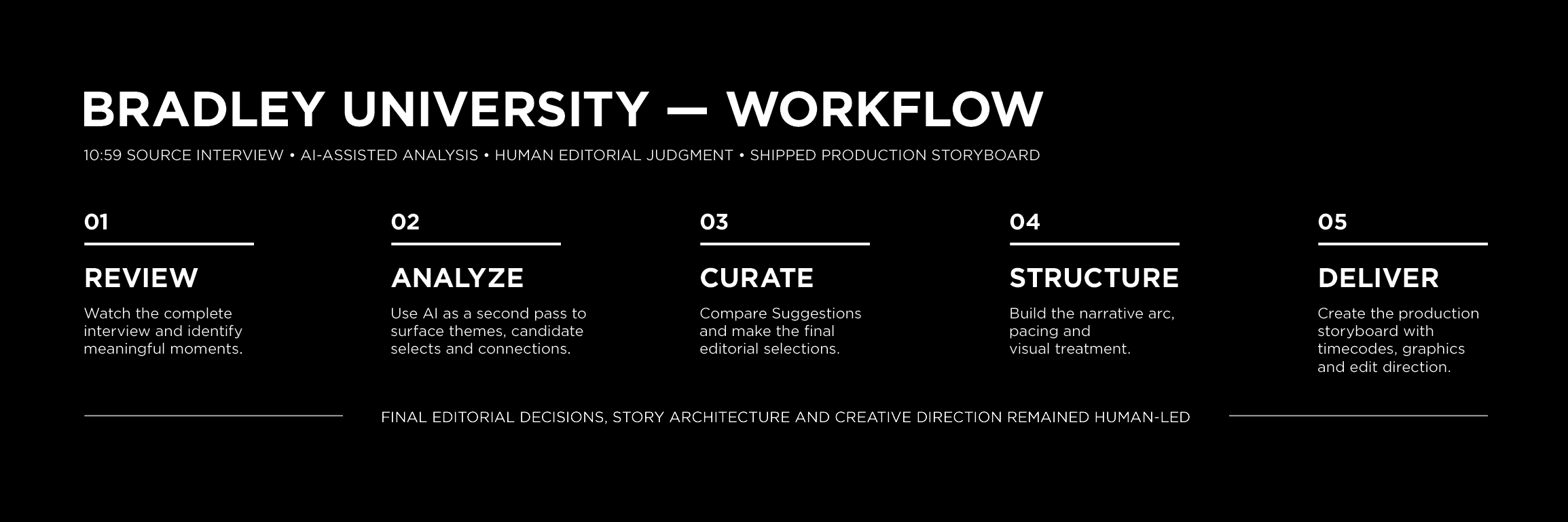
For Bradley University, the challenge was different: turn a 10:59 graduate interview into a concise evergreen story that could guide video production.
I first reviewed the complete interview myself and identified meaningful moments. I then used ChatGPT as a second analytical pass to surface additional themes, candidate selects, and narrative connections that might be worth considering.
From there, I made the final editorial decisions, structured the story arc, and developed the production storyboard with exact source timecodes, pacing, visual treatment, graphics guidance, and edit direction.
AI-Assisted Story Development
AI provided another perspective on the source material, but it did not determine the story.
I compared its recommendations against my own review of the footage and selected only the moments that strengthened the intended narrative. The final structure was shaped around identity, motivation, support, achievement, and advice — with each selection chosen to serve the larger story rather than simply because AI identified it.
Human Judgment in the Loop
Sourcing Insights
Tools used // ChatGPT / Generative AI / Adobe Photoshop / Adobe Illustrator
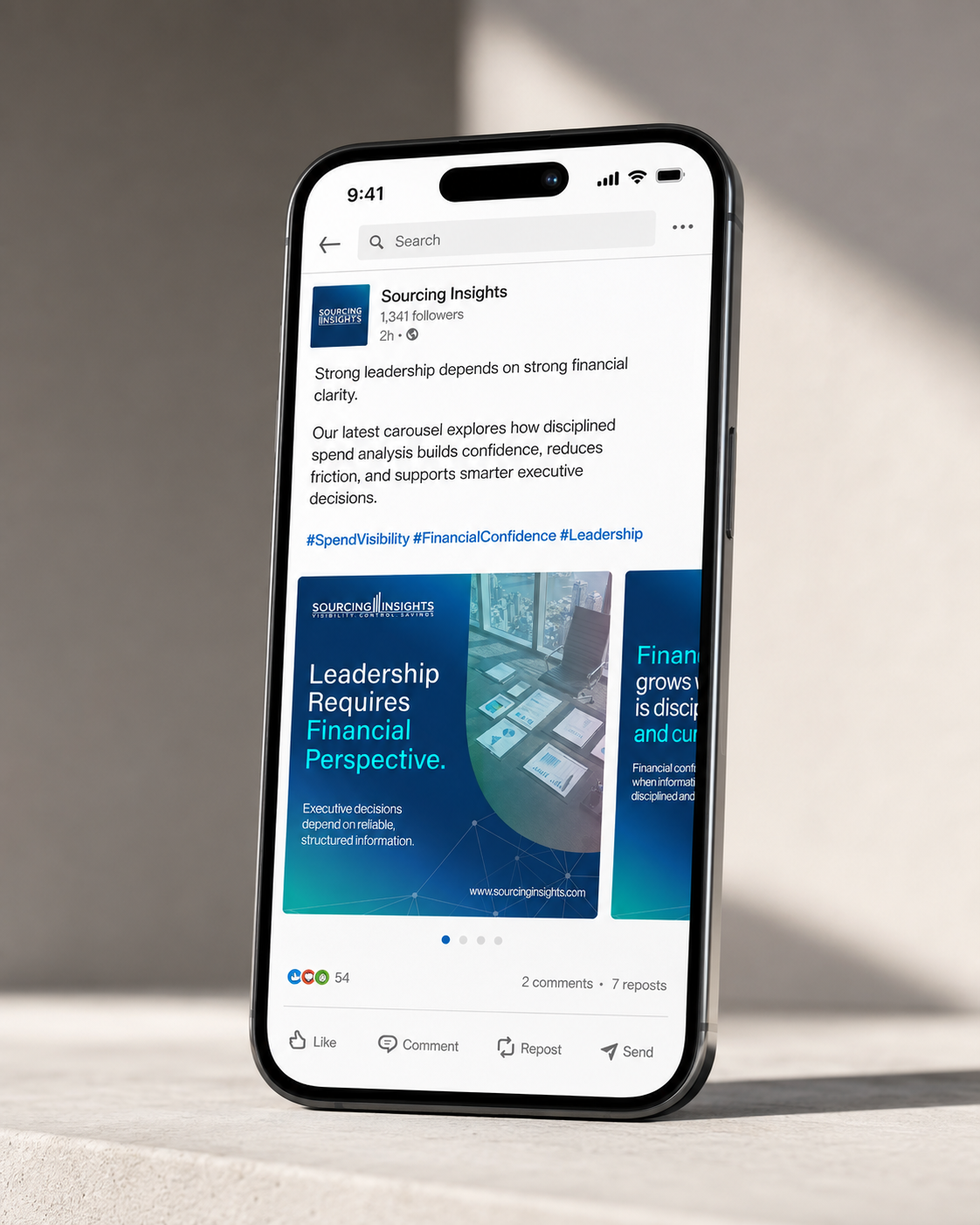
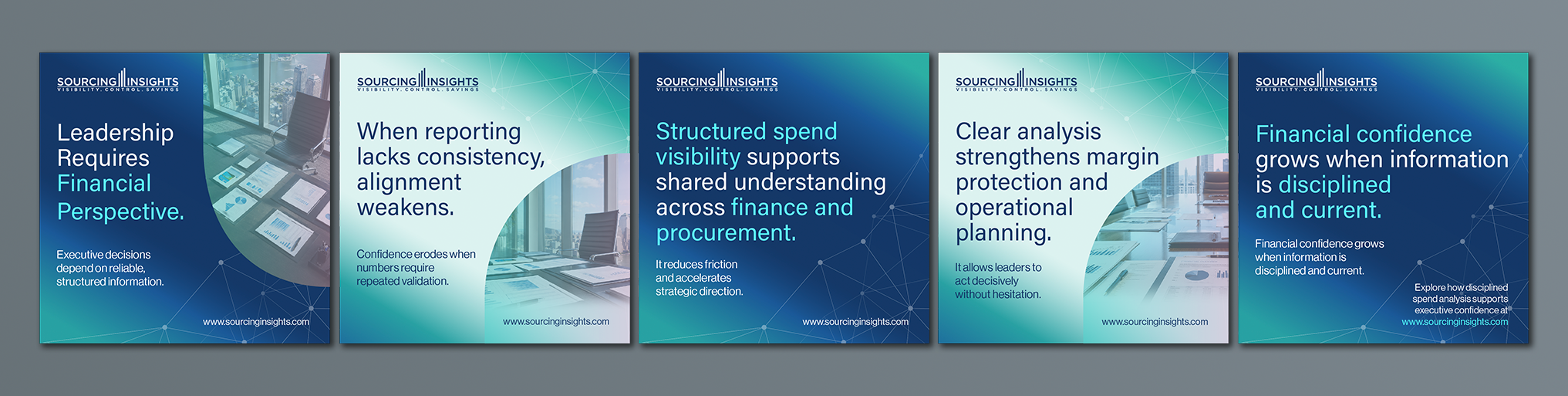
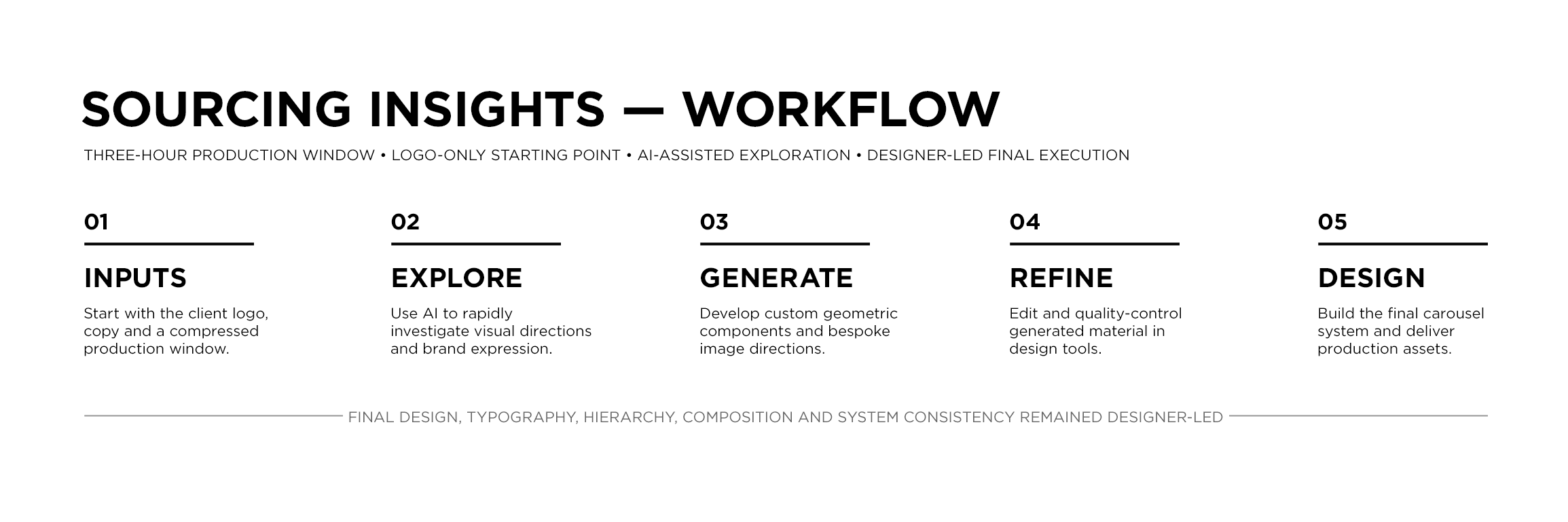
For Pierson Media's fintech SaaS client Sourcing Insights, I was given a compressed three-hour production window to develop a five-panel social carousel.
The visual starting point was minimal: the client's existing logo and supplied content, with no formal brand guidelines provided for the assignment.
AI helped accelerate visual exploration and the development of custom geometric components and bespoke image directions. I then refined those materials in Adobe Photoshop and Illustrator and built the final typography, hierarchy, composition, image treatment, and repeatable carousel language.
Rapid Campaign Development
The short production window made speed valuable, but speed alone wasn't the objective. Using AI selectively during exploration allowed more of the available time to be spent evaluating and refining the actual design. The resulting carousel functioned not only as the final social asset, but also as a lightweight visual refresh for a brand that had no established design system available for the assignment.
Designing Under Constraint
Extending the Workflow
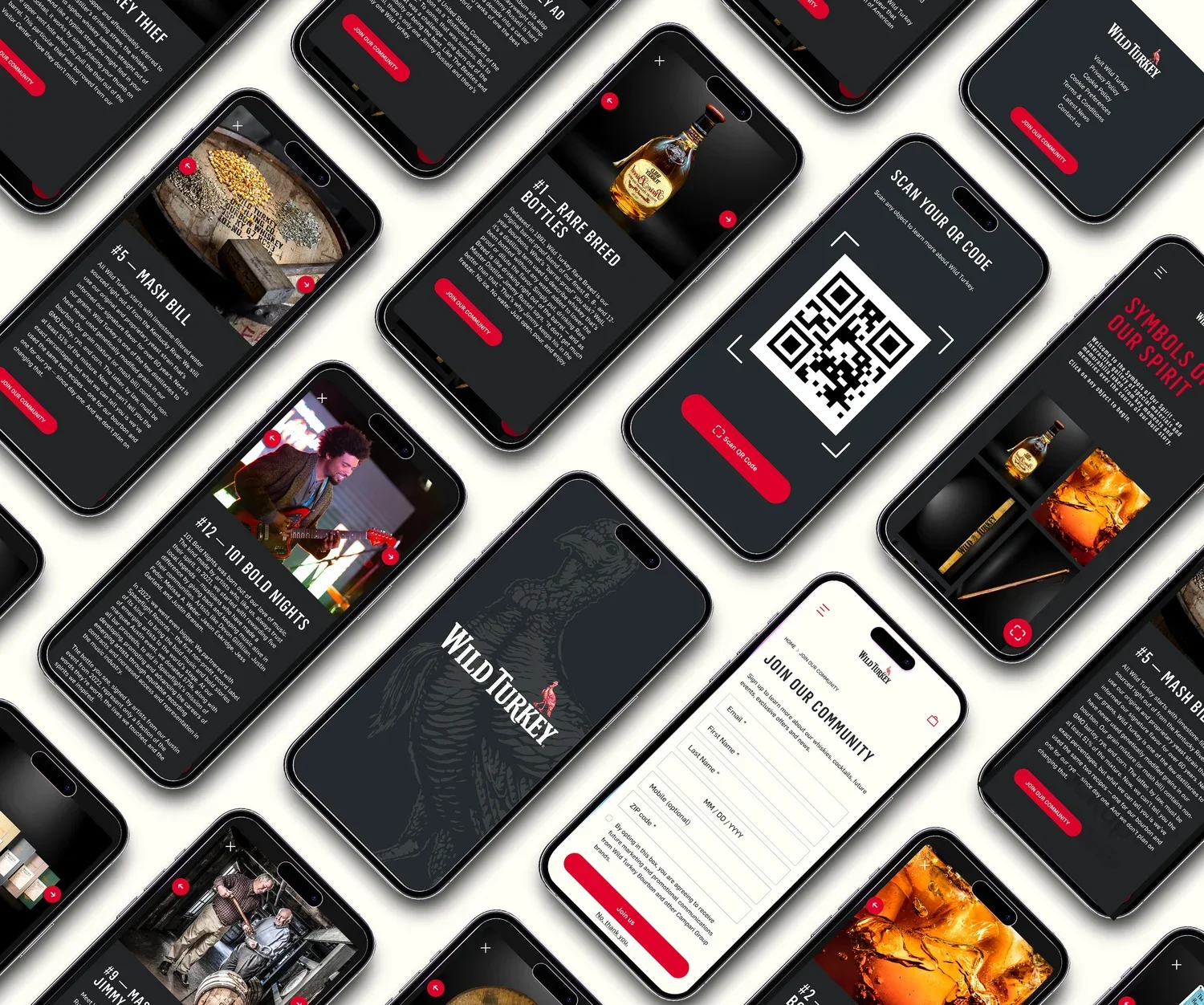
Tools used // Figma / Adobe Creative Suite
The AI-assisted client work above was produced primarily through Adobe-based workflows. My broader digital-design practice also includes professional Figma experience across product design, interaction systems, prototyping, and high-fidelity UI.
For the Wild Turkey “Symbols of Our Spirit” Exhibit App, I served as Lead Product Designer and owned the end-to-end experience across research, user flows, wireframing, prototyping, high-fidelity design, brand adherence, and iterative refinement.
That systems-oriented way of working informs how I approach AI-enabled production as well: use tools to accelerate repetitive or exploratory work while preserving deliberate control over the design system and final experience.
Professional Figma Experience
The dividing line is simple: AI can help me explore, analyze, generate, and iterate faster. It does not replace responsibility for the creative outcome.
I remain accountable for deciding what is appropriate for the brief, what aligns with the brand, what needs further refinement, and what is ultimately ready to ship.
How I Use AI in Practice